.avif)
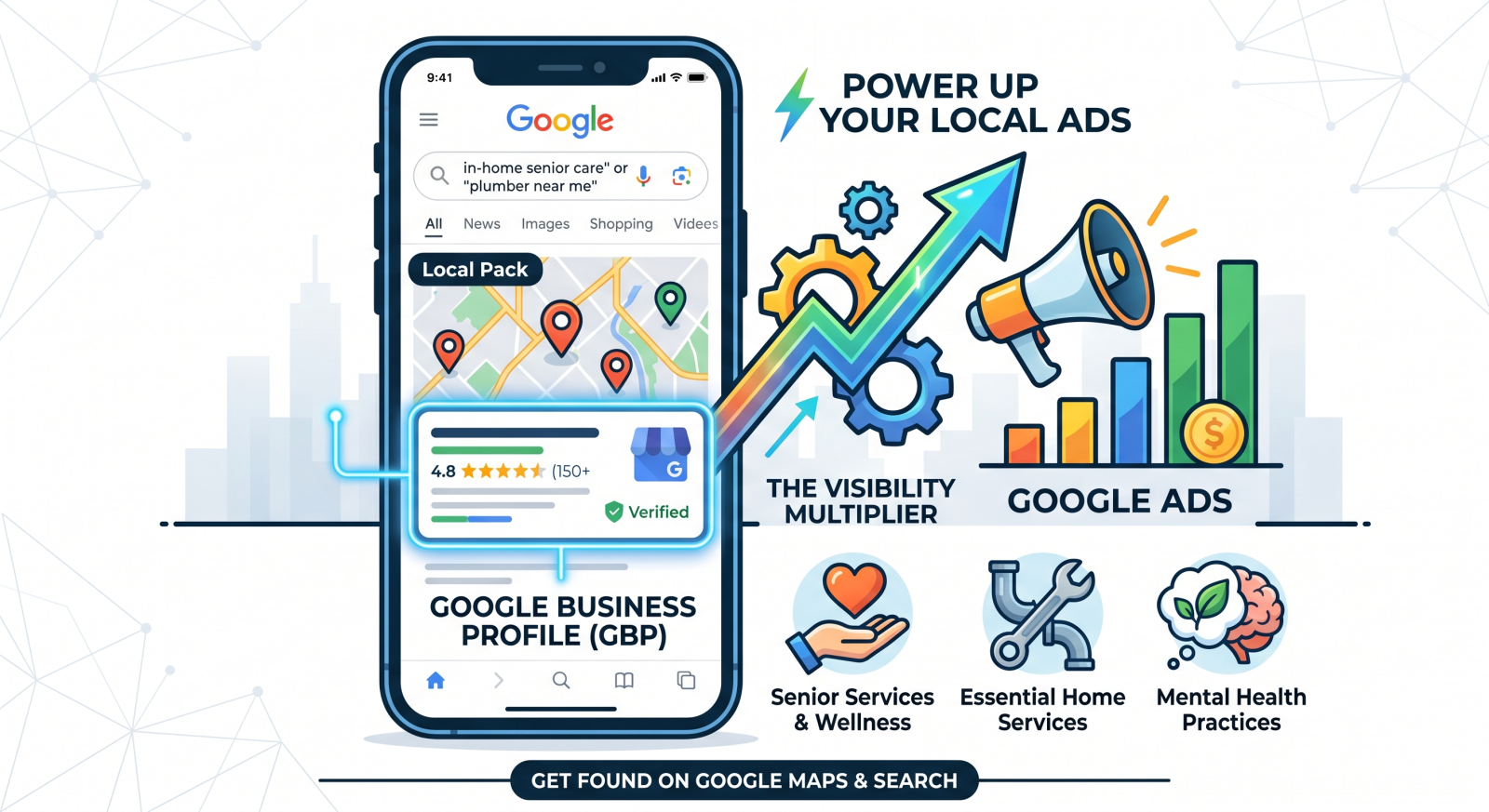
A practical guide for local service providers who want to get found on Google, earn trust before the first call, and stop being invisible to paying clients.
You evaluated every aspect of starting your service business. Your practitioners are licensed, your team is highly trained, and the quality of care or service you provide is unmatched. You are ready to deliver something worth talking about.
But the phone isn’t ringing.
Before you question your pricing, your service area, or whether the market is even there—ask one critical question first: Can anyone actually find your business online?
If you don’t have a verified, optimized Google Business Profile (GBP), the answer for most of your target market is a resounding no.
When it comes to advertising your business on Google, many owners think throwing money at paid ads is the immediate solution. But a broken organic presence will sabotage your paid performance before you even launch.
According to research by local search authority BrightLocal, 80% of U.S. consumers search for local businesses online every single week (with 32% doing so daily). More critically, 71% of those consumers will completely reject or refuse to consider a local service business that has no visible online profile or customer reviews.
That isn’t a marketing problem. That is an outright visibility crisis and it exists before a single dollar of your ad budget is ever spent.
Google’s own consumer data reinforces this massive high-intent behavior: 4 in 5 consumers use search engines specifically to find local information, and 76% of those local “near me” mobile searches result in a business visit or direct contact within 24 hours.
If your business isn’t appearing in those precise moments, you aren’t just losing ground to a competitor. You are completely locked out of the conversation.
Picture an adult child frantically searching for “senior rehabilitation care near me” for an aging parent who experiences an accident. Or someone waking up with debilitating back pain typing in “local massage therapist.” Or a homeowner dealing with a flooded basement searching for an “emergency plumber.“
They are not casually browsing. They are not reading lengthy comparison blog posts. They are in a state of high intent (and often high stress), and they need four things immediately:
This exact “moment of truth” plays out hundreds of times a day across every service category: senior care agencies, mental health practices, wellness and massage clinics, plumbers, and home service providers.
If you are not showing up in that Google Map Pack, you do not exist to that high-value client. A Google Business Profile isn’t an optional growth tactic; it is the core infrastructure that makes everything else—including your paid Google local search ads—actually work.
Getting listed is step one. Optimizing for Google’s local algorithm is what separates a profile that generates consistent leads from one that sits ignored.
Go to [google.com/business] and claim your listing. Verification typically happens via video upload, phone, or postcard. Until you complete verification, your profile will suffer from limited search visibility and cannot integrate with paid ad campaigns.
Complete every section: Business name, service areas, phone number, website, and operating hours.
Crucial Best Practice: Your Name, Address, and Phone number (NAP) must be identical across your profile, your website, and any other online directories. Minor inconsistencies erode Google’s confidence in your business data and suppress your rankings.
This single field has an outsized impact on your local SEO visibility. Your primary category should match exactly what a high-intent client would type when they need your help.
Profiles with real, updated photos receive significantly more direction requests and website clicks than those without. Skip the generic stock photos. If you run a wellness clinic, show clean, calming treatment rooms. If you run a plumbing service, show crisp images of your branded vehicles and your team on-site to instantly build trust.
You have 750 characters. Do not waste them on a vague corporate mission statement. Write a short, clear summary that answers:
Once your organic profile is dialed in, connecting it to your paid dashboard unlocks a completely dominant tier of search visibility.
♦ Location Assets Transform Ads into Actionable Destinations: Instead of a standard, easy-to-skip text ad buried at the bottom of search results, your paid campaigns gain a “Directions” button, a direct “Call” icon, and a prominent Google Maps pin. This gives high-intent mobile searchers everything they need to convert instantly.
♦ Review Stars Drive Higher Click-Through Rates (CTR): Syncing your profile allows your hard-earned organic reviews to display dynamically beneath your paid ad headlines. Seeing a 4.9-star rating with 85+ reviews attached to an ad for an assisted living facility or mental health counselor changes the consumer psychology completely, validating your business before they even click through.
♦ Ad Quality Scores Improve While Lead Costs Drop: Google rewards hyper-local relevance. An active, fully optimized Business Profile signals authority to the platform’s algorithm, which can raise your ad Quality Score. A higher Quality Score means a lower Cost-Per-Click (CPC) and premium ad placement—allowing you to outrank competitors with significantly larger advertising budgets.
Getting found is step one. Getting chosen over the competition is step two. To keep your pipeline full of high-value leads, execute this ongoing strategy:
A: The biggest algorithmic levers you can control are completing 100% of your profile fields, selecting the most accurate primary category, consistently gathering recent, non-generic reviews, and keeping your profile active with weekly updates.
A: Suspensions typically occur due to guideline violations—such as keyword-stuffing your business name, using a P.O. Box, or an address conflict for a Service Area Business accidentally showing a residential location. Review Google’s guidelines, correct the non-compliant data in your dashboard, and submit a formal reinstatement request through the official Business Profile Help Center.
A: Yes. If you travel directly to your clients—like an in-home senior care provider, a mobile massage therapist, or a plumber—you will register as a Service Area Business (SAB). You simply list the specific zip codes or counties you serve and choose to hide your residential address from public view. You still get full Map Pack visibility.
A: This is usually caused by automated spam filters. If a review is hyper-short, contains links, or comes from a brand-new Google user account with no prior history, it may be flagged. To prevent triggering these automated filters, avoid asking a massive batch of clients to review you all on the exact same day.
A: Technically, no. Practically, running local campaigns without it severely damages your return on investment. You lose access to Location Assets, Map Pack ad placements, and dynamic review extensions. For any localized service provider, linking your profile is a prerequisite for high-performing ads.
A: You cannot delete reviews yourself. If a review clearly violates platform policies (e.g., explicit harassment, spam, obvious conflict of interest from a competitor), you can flag it for removal within your dashboard. While Google reviews the case, always post a neutral, professional, and fact-based response.
Your Google Business Profile is the ultimate anchor for all your local growth efforts. It is what gets you discovered by high-intent buyers, what establishes your credibility before the first phone call, and what maximizes your paid ad performance.
If you have not yet claimed your profile—or if your current listing hasn’t been updated in months—optimizing it is the highest-leverage task you can complete for your business this week.
Need an expert second set of eyes on your local search setup? Fixing your Google Business Profile is one of the highest-leverage actions you can take, and it’s simpler than you might think. In fact, most visibility bottlenecks are so straightforward that we can review your profile and map out the exact fix during a single, free 20-minute call.
Book your free profile review today, and let’s get your phone ringing.
Book Your Free 20-Minute Growth Chat